All Resonance Platform Updates for May 2026 | Changelog
Complete changelog for Resonance platform updates released during May 2026.
Table of contents
- 01All Platform Updates for May 2026
- 02Chat Assistant, Update Notifications, and an Easier Start
- 03Current Plan in Chart Settings
- 04Clearer Trainer Examples and Outdated Data Warning
- 05Improved Training Example and Heatmap
- 06Quick Login After a Session Ends
- 07Checklist Reminders and Reversal Signal Statistics
- 08More Visual Trade Duration Statistics
- 09New Training Examples
- 10Clearer Hints at the End of Chart History
- 11Timeframe Filter in Statistics
- 12Warning About Approaching “Real Time” in the Simulator
- 13Quick Navigation to History and Back in the Simulator
- 14Long/Short Filter in Statistics and a More Convenient Simulator
- 15News Directly on the Cluster Page
- 16Training Hints Are More Convenient on Mobile

All Platform Updates for May 2026
In May 2026, the platform received a series of updates focused on improving the first experience with the product, developing the trading trainer, statistics, simulator, and interface. Below is the full list of changes by version.
Chat Assistant, Update Notifications, and an Easier Start
A major update focused on getting familiar with the application: a chat assistant, an update news window, and a visual first-steps checklist have been added.
- Chat Assistant Aires — a built-in assistant that will guide you through the application. You can continue the conversation from where you left off, and after a long period of inactivity, it will gently remind you about itself.
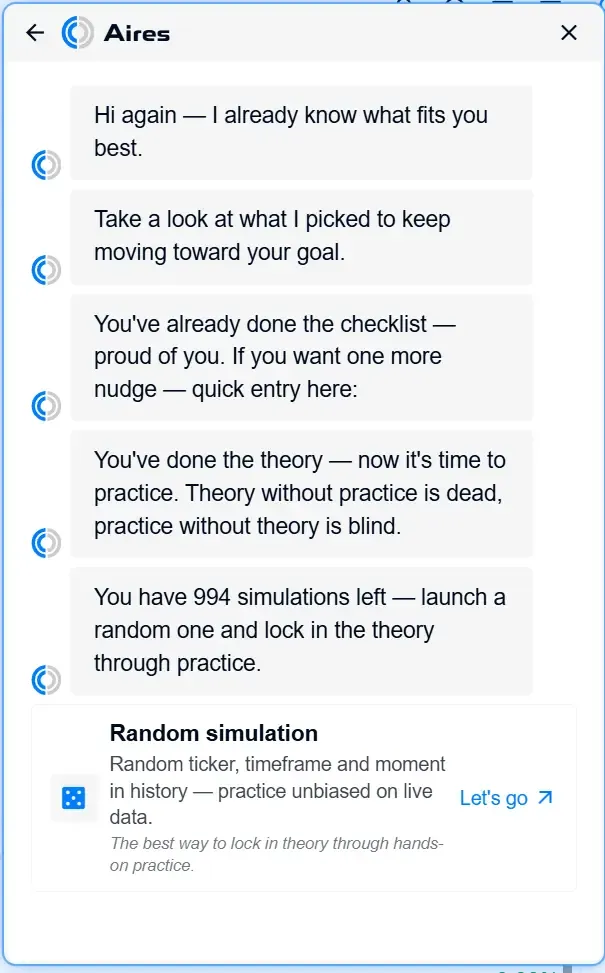
- Update News Window — now, when a new version is released, the list of changes is displayed directly in the application.
- First-Steps Checklist — a visual list of tasks for getting started that shows your progress as you learn the platform.
- Trade Trainer — examples have been improved and working with the trainer has become more convenient.
Current Plan in Chart Settings
A small improvement to how the plan is displayed.
- The bottom settings panel now shows your highest active plan for each platform, and if there are several, they are combined using “+”.
Clearer Trainer Examples and Outdated Data Warning
Improvements to training examples and a notification for cases when coin data may be outdated.
- Introductions to Training Examples — each example in the trainer now starts with a brief explanation of what it is about.
- Outdated Data Warning — if the data for a coin has not been updated for a long time, you will see a corresponding notification.
Improved Training Example and Heatmap
Minor improvements to the training example and heatmap display.
- The layout and text of one of the examples have been redesigned to make it easier to read. Unnecessary chart tools are now hidden so they do not distract you.
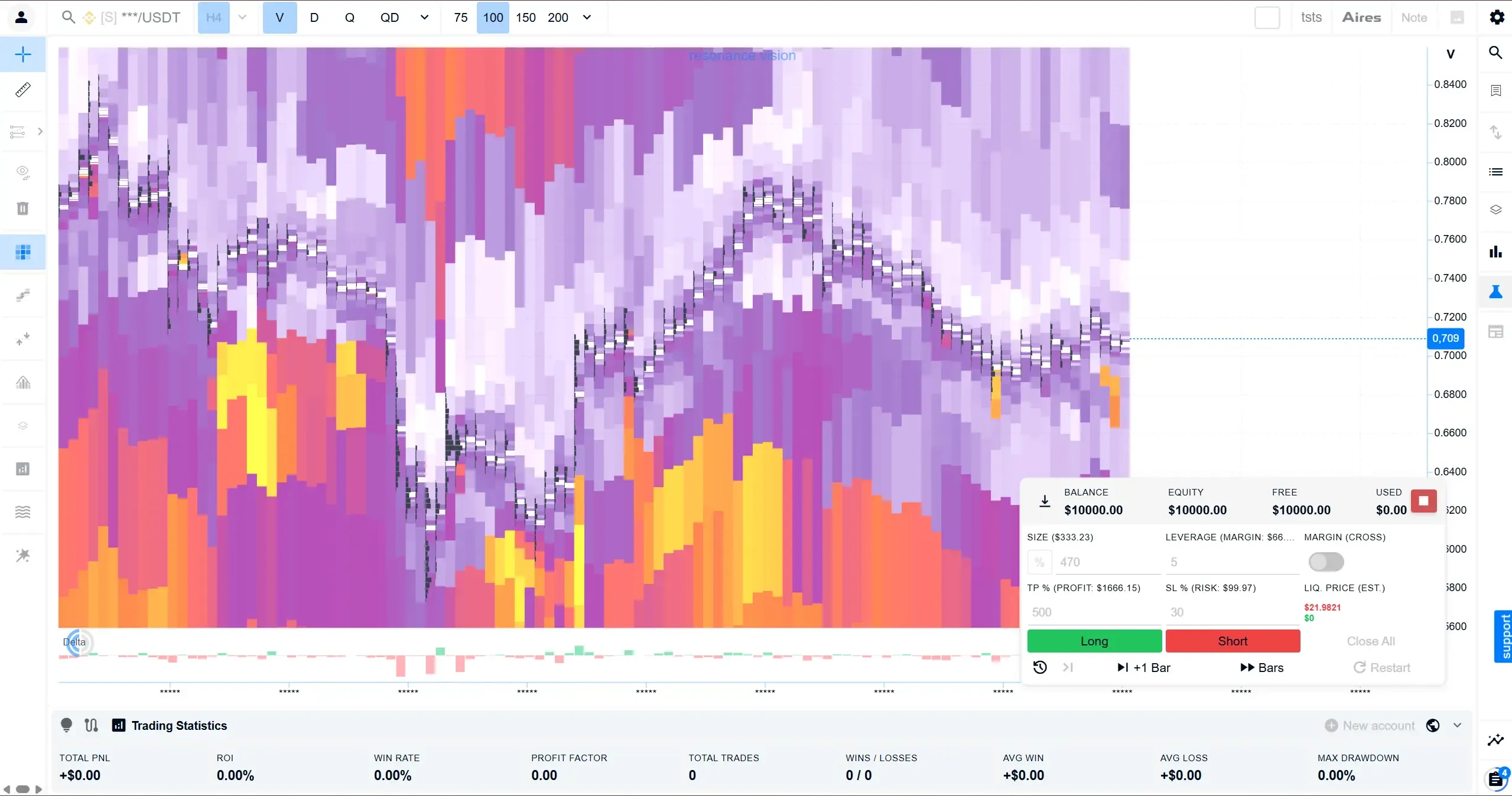
- Heatmap at the Data Boundaries — the display area is now built according to the actual data range, making the heatmap look cleaner.
Quick Login After a Session Ends
If your session has ended, getting back into your account is now easier.
- “Log In” Button in the Session End Notification — if you have been logged out of your account, a prompt with a quick login button will appear. On the login and registration pages, it is automatically hidden so it does not get in the way.

Checklist Reminders and Reversal Signal Statistics
Checklist reminders have become more convenient, and reversal signals now have detailed statistics.
- Grouped Checklist Reminders — pop-up reminders are now grouped by labels, making it easier not to miss important information.
- Reversal Signal Statistics — you can now see how reversal signals perform in the same convenient statistics window used for regular positions.
- Reminders Stay Out of the Way — as soon as you open the checklist, its reminders are automatically closed.
- More Accurate Trade Duration — reversal signal statistics now determine the actual time from opening to closing.
- In the second training example, position fields are now open immediately, and unnecessary transitions have been removed.
More Visual Trade Duration Statistics
It is now easier to understand how long trades usually last in position statistics.
- Trade Duration by Percentiles — the default view now shows short, typical, and long trades (10%, 50%, 90%), rather than only the average. This makes it easier to understand the actual picture.
- Display Mode Switcher — in the statistics window, you can switch between the new percentile-based view and the familiar “minimum / average / maximum” view. This is available both overall and separately for longs and shorts.
New Training Examples
New training examples covering stop-losses and partial position closing have been added.
- Stop-Loss and Break-Even Example — a new training scenario where a stop-loss is set separately, hints are provided throughout the example, and an analysis is available after the stop is triggered.
- Partial Close Example — a new scenario demonstrating how to close part of a position and lock in the result.
- Chart Markers — markers on the cluster chart now load and display more reliably.
Clearer Hints at the End of Chart History
The explanation of why chart history has ended and what to do about it has been improved.
- Clearer History Boundaries — when you scroll the chart into the past, a hint appears explaining why there is no more data: you have reached your history limit, the maximum available for that timeframe, or the data is simply unavailable.
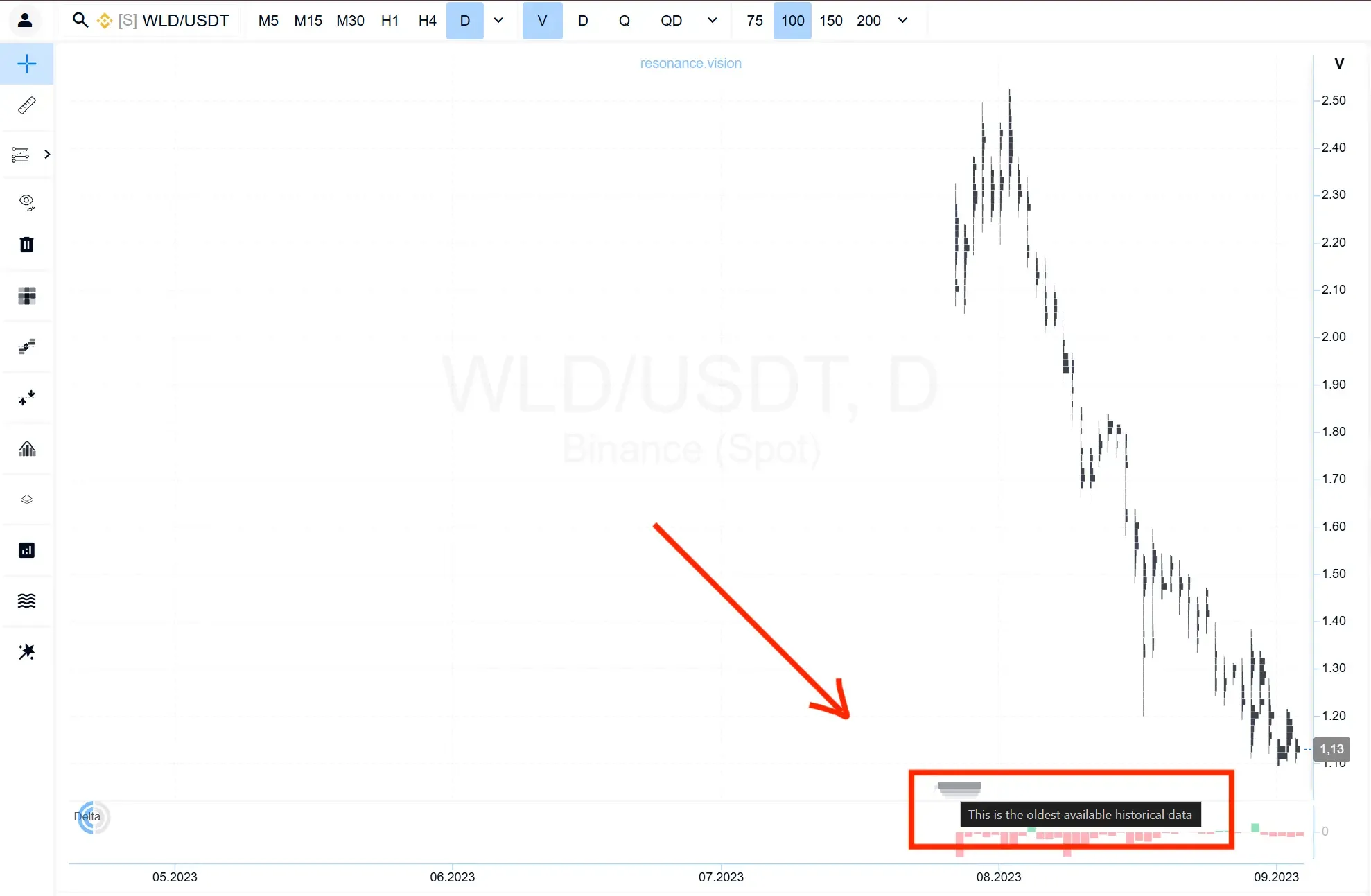
- Separate Message When No Data Is Available — if there are no bars at all for a coin on the selected timeframe, you will see a message explaining this instead of a blank chart.
Timeframe Filter in Statistics
A timeframe filter has been added to position statistics.
- Timeframe Statistics Filter — in the position statistics window, you can now keep only trades from the required timeframe to compare them more accurately.
Warning About Approaching “Real Time” in the Simulator
A clear indicator has been added to the simulator to show that the available data is about to end.
- Warning Line in the Simulator — 20 bars before the end of the simulation, a bright dashed vertical line appears on the chart. This lets you see in advance that “real time” is approaching and there will soon be nowhere further to scroll forward.
Quick Navigation to History and Back in the Simulator
History navigation and returning to the current moment have been improved.
- Two compact buttons have been added to the simulator control panel: view history and quickly return to the current moment. Both buttons have tooltips.
Long/Short Filter in Statistics and a More Convenient Simulator
A long/short filter has been added to position statistics.
- In the position statistics window, you can now keep only long or only short trades and view them separately.
- You can scroll through bars using the arrow keys on your keyboard, while the chart maintains a comfortable margin from the right edge.
- Before opening a position, the estimated liquidation level for both long and short positions is displayed. It now depends on the position size and deposited amount rather than only on leverage, and clearly shows the actual loss without a stop-loss.
- The explanations in the first and second examples have been updated.
News Directly on the Cluster Page
You can now see the latest news without leaving the chart.
- News Panel on the Cluster Page — a news block has been added to the right column, allowing you to follow market events directly while working with the chart.
Training Hints Are More Convenient on Mobile
The trading trainer has become more user-friendly for touchscreens.
- Training Areas Open on Tap — on phones and tablets, trainer hints can now be opened with a simple tap.
Follow new insights in our telegram channel.
No need to invent complex schemes and look for the "grail". Use the Resonance platform tools.
Register via the link — get a bonus and start earning:
OKX | BingX | KuCoin.
Promo code TOPBLOG gives you a 10% discount on any Resonance tariff plan.
Recommended articles